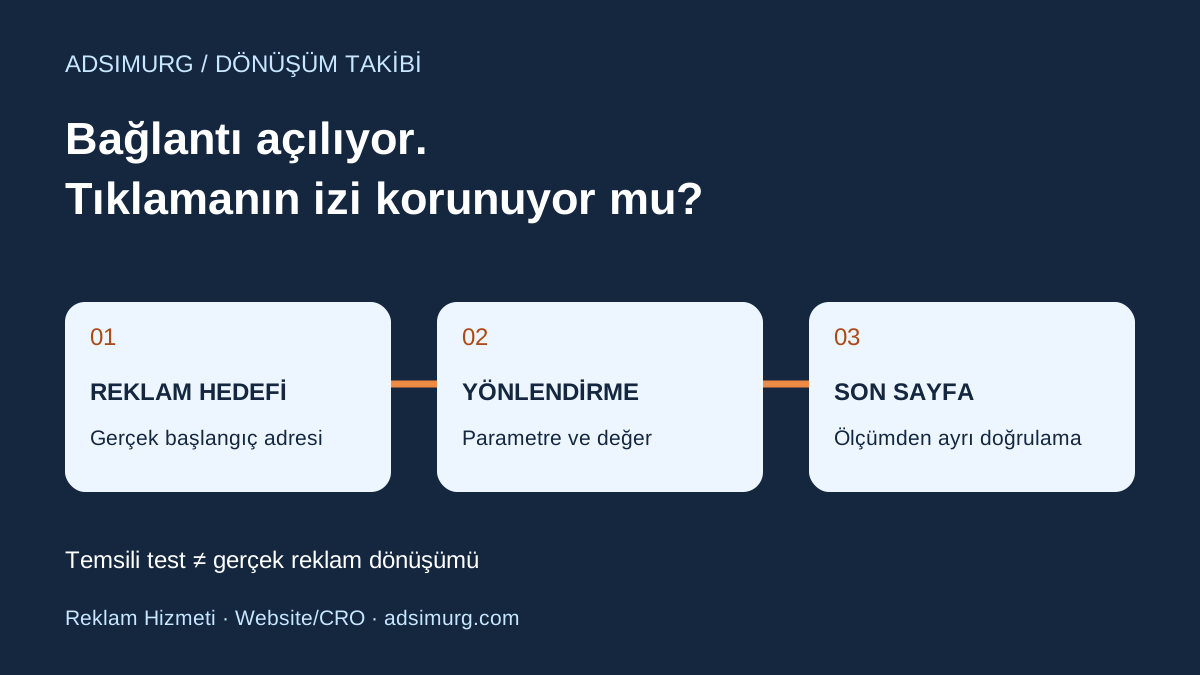
The short answer
A link can open the right page while losing measurement information on the way. GCLID is an identifier used by Google Ads auto-tagging; it serves a different purpose from manually written UTM campaign labels. Read the actual account setting and destination, then check whether redirects preserve the parameter and its value. Its presence alone does not prove that conversion tracking works.
| Observation | What it does not establish | Next check |
|---|---|---|
| The final page opens | The click identifier survived | Compare the starting and final URLs |
| A synthetic GCLID survives | A real sale was attributed to Google Ads | Authorised event and linking test |
| A UTM label is visible | Auto-tagging is working correctly | Review GCLID and report dimensions separately |
| Report data is missing | The redirect is necessarily broken | Consent, tag, scope and linking review |
Give campaign labels and click identifiers different jobs
UTM labels describe how a team names a source, medium and campaign. GCLID belongs to the Google Ads auto-tagging flow. Adding a UTM label does not recreate a lost real click identifier. Use the UTM naming guide for campaign organisation and review the technical URL path separately. Confirm the actual Google Ads account and Analytics property involved rather than assuming another account’s setup applies.
Separate a working page from an intact measurement path
Google explains that auto-tagging adds GCLID to the clicked URL and that redirects should pass it to the final landing page. Loading the homepage is therefore an incomplete test. An old product path, www address, language selector or intermediate campaign URL may behave differently. Record the real destination and any click URL generated by an existing tracking template. Document the current setup before changing account settings.
Create a three-stop redirect record
Use separate rows for the starting URL, any intermediate redirect and the final page. Record the observed status code and whether the parameter name or value changes at each stop. Google’s troubleshooting guidance checks preservation through redirects and warns against changing the identifier’s letter case. Keep full real click identifiers out of public issue comments and error screenshots. Share only necessary information with authorised technical colleagues. Include the customer-facing journey in your landing-page review.
A synthetic test is not an advertising click
For example, example.com/old-product?gclid=Check-17 might redirect to example.com/new-product?gclid=Check-17. That demonstrates preservation of this illustrative value on this tested path. If it disappears, locate the first step where it is lost. The manually added value does not establish a real click, campaign attribution or a sale. Avoid repeatedly clicking your own live ad to generate tests. Label the test URL and time so that test activity is not interpreted as business performance.
Assign the investigation from the evidence
If the parameter disappears only on an old URL, inspect that redirect rule. If all destinations change it, investigate the shared URL-processing layer. If the final URL is intact but reporting is incomplete, check tag loading, existing consent preferences and account linking separately. Do not disable privacy controls to force a result. Turning off auto-tagging or adding more UTMs without identifying the cause is not a diagnosis. Establish the issue on one reproducible example first.
Define acceptance before fixing the path
The change record should name the affected path, expected page, test date and owner. Approve a successful technical link test only within that scope. Verify the actual conversion separately using its defined event and an authorised test process. The form conversion test plan and cross-domain measurement review cover subsequent checks. Record unknown data as unknown rather than as zero or success.
A starting checklist
- Record the current auto-tagging setting.
- Identify the real destination and redirect path.
- Check preservation of the parameter and its value.
- Separate synthetic tests from real advertising clicks.
- Preserve consent preferences and measurement scope.
- Record the URL fix and conversion verification separately.
The Adsimurg approach
Adsimurg connects advertising management with measurement quality. In a free Advertising and SEO audit, we can select one destination and prioritise URL-path issues, page-message gaps and unverified measurement steps. We do not promise complete measurement or commercial outcomes without account access and real evidence.
Explore the relevant service scopes to put this plan into practice: Paid marketing, Landing pages & CRO, Growth strategy & analytics.